A company of agents, priced per task and visible as work
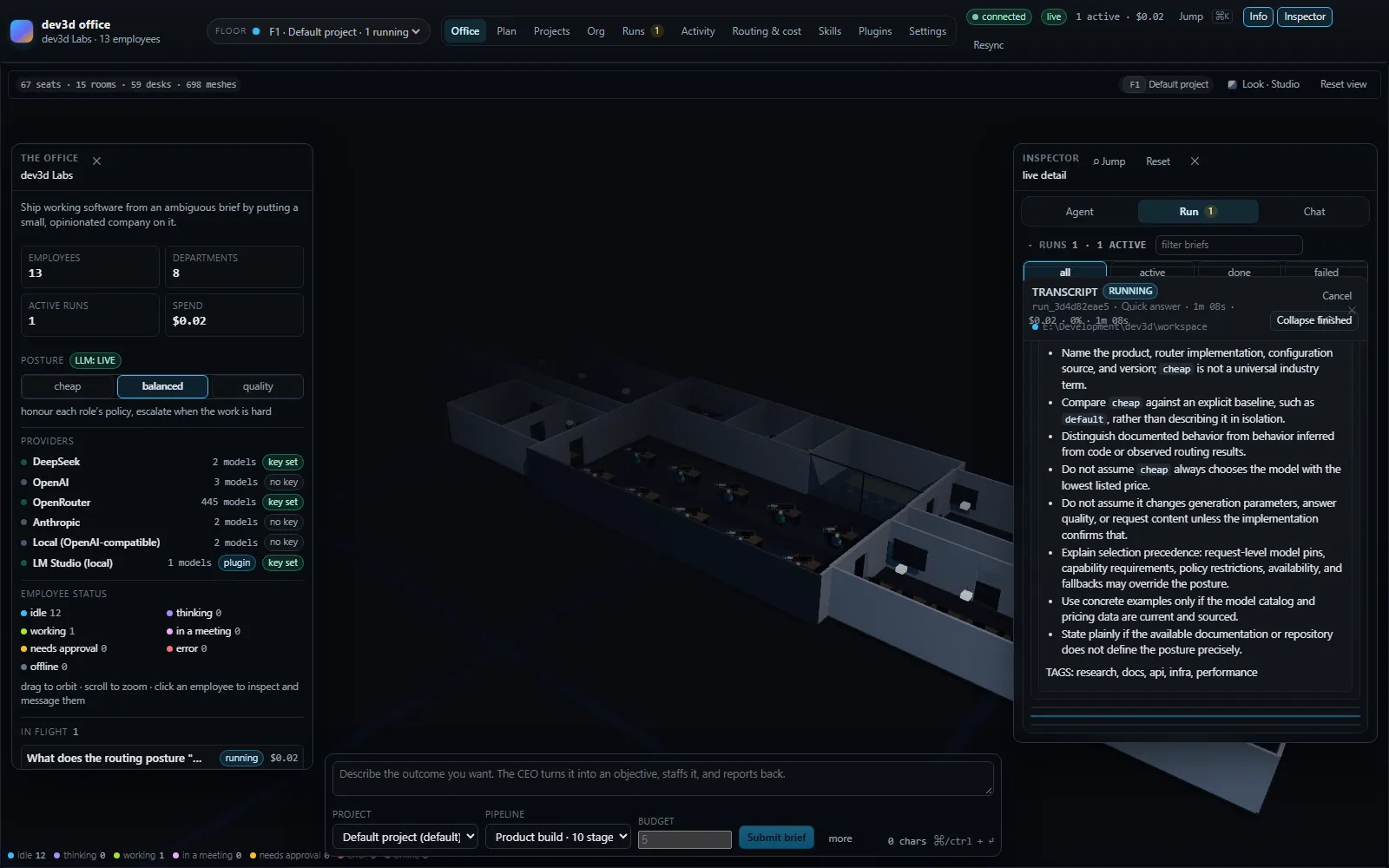
dev3d is an application that runs a hierarchy of LLM agents inside a real 3D office. You describe a task to a CEO agent; it builds an objective, puts specialists on it, they research and debate, a CTO writes a file-level plan, developer agents write real files into a workspace, QA tries to break it, and the CEO reports back.
Every one of those is a separate model call with its own role, its own skills and its own model. The office is not a metaphor painted over an API: employees sit at named desks in a real GLB model, change colour by status, and an idle one gets up and walks a route sampled from the floor. A debate moves nobody \u2014 it arrives as an attributed speech per speaker.
Eight things the office does
Each of these is a working part of the application, not a roadmap item. The feature pages carry the detail and the configuration.
Cost-aware routing
Every role declares a tier band. The router picks the cheapest model inside it that can do the job, so a summary never costs a frontier call.
Read moreFour stage modes
single, parallel, debate and review-loop. The shape of the work decides how the agents meet.
Read moreTools that stay put
Fifteen built-in tools, eight of which take paths and are confined to the run’s workspace root, so every file the run writes lands inside it. run_shell and git are approval-gated instead of confined.
Read moreA company, not a swarm
Thirteen roles across eight departments, each with its own skills, model band and seat in the office.
Read moreSkills are markdown
Fifteen documents loaded from disk and selected per turn. Add one by writing a file.
Read moreA real plugin system
Eight kinds of contribution — models, skills, routing rules, tools, roles, pipelines, panels — installed from the marketplace, with permissions enforced for tool registration and event subscriptions.
Read moreAn office that grows
Each organisation gets its own floor, generated from a block kit, extending itself when it runs out of desks.
Read moreRuns without keys
With no provider configured the whole pipeline still runs against scripted employees, so the office is demonstrable before it is billable.
Read moreTwo commands, no keys required
dev3d runs on your machine and binds to localhost. With no provider keys configured it boots in mock mode, so you can watch the whole pipeline work before you spend anything.
- Node 24 or newer and pnpm. Nothing else to install — persistence is a SQLite file, with a memory fallback.
- Add provider keys when you want live models; the office badges the active mode either way, so nobody has to wonder whether a run is spending money.
- The console is a client of the same HTTP and WebSocket API a script would use, so the office can be driven from a terminal.
pnpm install                 # Node >= 24
cp .env.example .env         # optional: add provider keys

pnpm dev:server              # orchestrator on http://127.0.0.1:8787
pnpm dev:web # office UI on http://127.0.0.1:5273Extend the office without modifying it
A plugin adds models, skills, routing rules, tools, role templates, pipelines or panels as validated data. This site serves the catalog a dev3d installation installs from.
Declarative plugins
A manifest and nothing else. Models, skills, routing rules, role templates, pipelines and panels, contributed as data that the host validates before it is used.
Code plugins
A manifest plus an entry module, for the cases that need to register a tool or watch the event stream. They run in the orchestrator’s process, so installing one is gated.
Install from a catalog
A host fetches a catalog document, chooses an entry, downloads the bundle it names and verifies the sha256. Any static host that serves that JSON is a marketplace.
AGPL-3.0-or-later, and what that asks of you
Practically, there are two cases that matter, and for most people the answer is that nothing is asked beyond keeping the license intact.
Running it unmodified — for yourself or your team
Nothing is asked of you beyond keeping the license intact. There is no obligation to publish anything, no obligation to contribute changes back, and no restriction on using it commercially or internally.
This includes running it behind a company network for your own staff, and it includes installing plugins, since a plugin is your own work rather than a derivative of the orchestrator.
Modifying it and letting others use it over a network
You must offer them the Corresponding Source of your version. Section 13 is the clause that says so. The architecture notes explain why that clause suits an application built to be operated as a server.
If the AGPL does not suit your situation, the copyright holder can license otherwise. That is a conversation, not a loophole — start it before you ship.
- License
- AGPL-3.0-or-later
- Runtime
- Node 24 or newer
- Network clause
- Section 13 — offer Corresponding Source
- Plugins
- Separate works, not derivatives of the orchestrator
- Alternative licensing
- Available from the copyright holder
Run the office
It runs on the scripted provider out of the box, so you can be watching thirteen agents work in about two minutes without a single API key.