Documentation
Install, run and extend the dev3d office.
- Pages
- 42
- Sections
- 6
- Words
- 125,920
- Reading time
- 10 h
- Last updated
- 13 September 2026
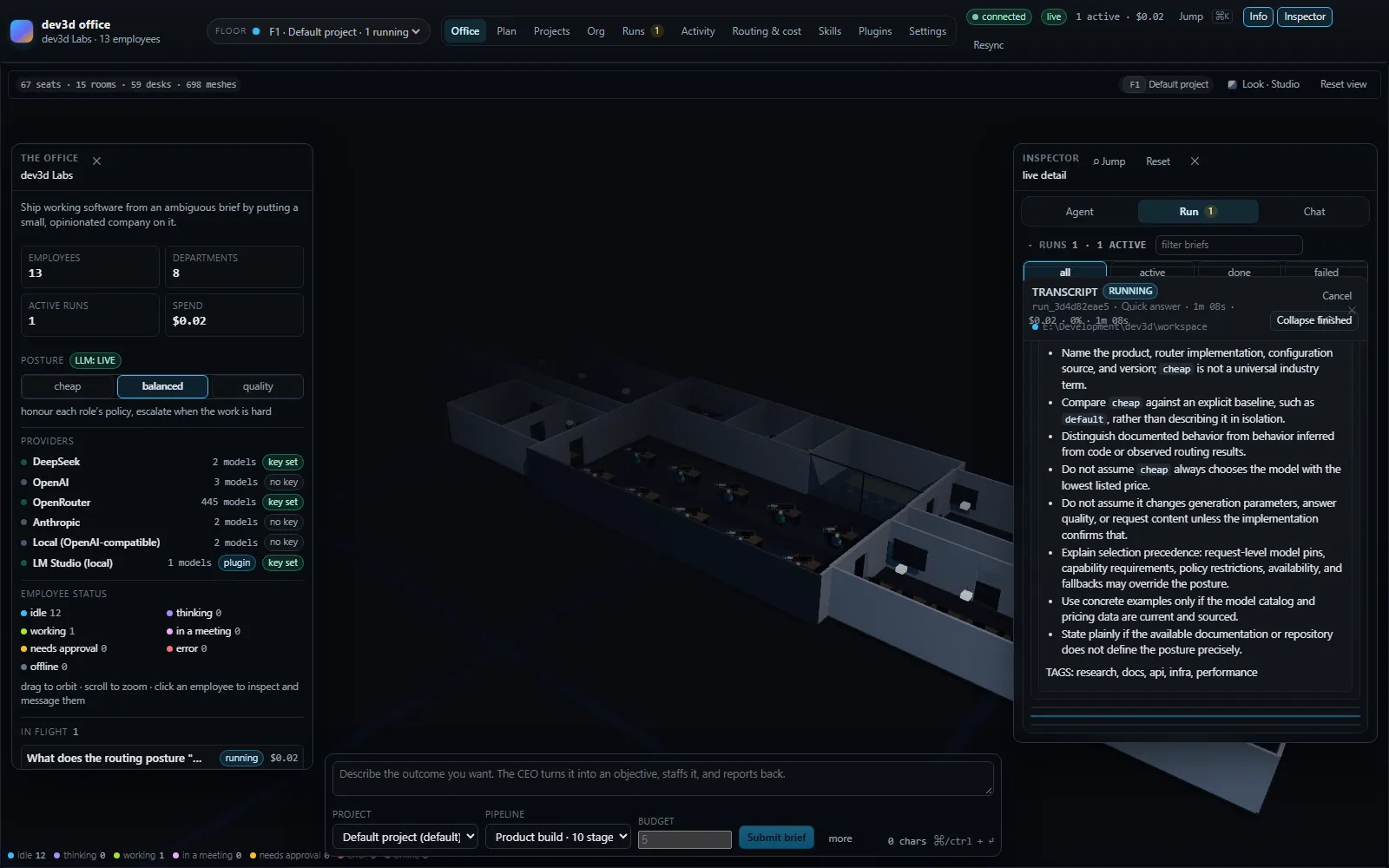
dev3d is an orchestrator that runs a hierarchy of LLM agents as a small company inside a 3D office. Thirteen roles across eight departments work three pipelines through twelve kinds of stage, and the console is a floor plan you watch them work on. This page is the index of everything written about it: what each page covers, who it is for, and the order that makes sense if you are here for a particular reason.
If you are here to run it
For someone who has decided to run dev3d and wants a working office today. These four pages are sequential: read them in order and you will have a server, a provider key, a project and a finished run behind you.
- Introduction — what dev3d is, what it is not, and the shape of the thing in one sitting.
- Quick start — the shortest path from a clean checkout to a running office, with the two commands and the one key it needs.
- Installation — the real prerequisites (Node 24; the package manager floor is declared as
packageManagerand enforced by corepack), provider configuration, and what the server writes to disk on first boot. - How a run flows — the lifecycle of one piece of work, from the brief to the artifacts, and what happens when a stage fails or a budget is exceeded.
Concepts
For someone who has it running and wants the mental model rather than the instructions. This section is where the site corrects the things that are easy to get wrong — the record hierarchy, what a routing hint can and cannot do, and where the workspace boundary actually stops.
- Concepts — the section overview, and the shortest statement of the model the rest of the documentation assumes.
- The office — why the interface is a floor plan, what the furniture encodes, and how an employee's state is rendered three ways at once.
- Model routing — how a turn gets its model: capability filtering, the posture moving the target tier, the weighted score that decides, and the real rejection reasons the router records.
- Projects, organisations and floors — how a run is bound to a directory, what isolation between floors really means, and the limits of that binding.
Guides
For someone extending the office. Each guide is task-shaped: it starts from the thing you want to exist and works towards it. The plugin pair is best read in order, and both assume you have read the manifest reference at least once.
- Guides — the section overview and what each walkthrough assumes you already know.
- Writing a skill — skills are markdown files loaded from disk, selected per turn by a scoring rule you can predict once you have seen it.
- Building a plugin — the two kinds of plugin, what a manifest may contribute, and the rules the host enforces when it loads one.
- Publishing to the marketplace — how a bundle, a checksum and a catalog entry fit together, and what a host verifies before it installs anything.
Reference
For someone who needs the exact name, default or shape and does not want to read a paragraph to find it. These pages are lookup tables with prose where the prose earns its place — the defaults in particular are the ones the code actually uses.
- Reference — the section overview and how to read the tables.
- Environment — every environment variable that changes how the office behaves, with its real default and whether a saved setting overrides it.
- Environment variables, in full — the exhaustive table of everything the orchestrator and this site read, grouped by what it affects, including the variables that are read and do nothing.
- Plugin manifest — the full field reference for
plugin.json: the eight contribution keys, the ten permissions, the settings schema and the validation rules. - The wire protocol — the HTTP surface and the WebSocket contract: 31 server events and 33 client commands, typed end to end from one shared package.
- Model policies and task classes — every field of a policy, the scoring function term by term, and what a routing rule is and is not allowed to move.
- Errors, exit codes and diagnostics — the messages the system actually prints, what each one means, and which log to look in next.
- Glossary — every term the rest of the documentation uses, defined once so no other page has to define it again.
Troubleshooting and questions
For when something is not working, or when you have one question and do not want to read a chapter to answer it. The troubleshooting pages start from the symptom rather than the subsystem, because that is what you have when you arrive; the FAQ starts from the question, because that is what you typed into a search engine.
- Troubleshooting — how to use the section, and a table of the most common failures with a link to the page that covers each.
- Installation and startup failures — a missing variable, an unreachable database, unapplied migrations, a port already in use.
- Providers, models and routing — a rejected key, an unknown model id, rate limits, and why the router chose what it chose.
- Workspace, shell and tools — permission errors, the approval round trip, which tools are confined and which are not.
- Plugins and skills — a plugin that does not load, a manifest refused on install, a checksum mismatch, a skill that is never offered.
- Budget, cost and stuck runs — the hard ceiling versus the soft gate, a run that appears to hang, and what actually stops the spending.
- Frequently asked questions — what dev3d is and is not, what it costs to run, whether plugin code is sandboxed, and what the licence allows at work.
Internals
For someone deciding whether to trust this with a real project, or reading the source and wanting to know which parts have been proven. This is the section that documents the thesis, the structural decisions, the verification that exists and the gaps that do not close. It is the most opinionated part of the set, and the most candid.
- Internals — the section overview: how dev3d is built, why it is shaped that way, and what is still open.
- Design thesis — the two claims the project rests on, and why a hierarchy is what makes either of them defensible.
- Architecture decisions — the dependency-free contracts package, the typed wire protocol, the plugin boundary, and the licence, each with the alternative that was rejected.
- Verification — what has been proven, suite by suite, and what each suite cannot prove.
- Known gaps — what is unfinished, what is a deliberate trade, and what the platform will not allow.
How to read the set
If you want to run it
Quick start, then Installation when you hit something the quick start glossed over, then The office to know what you are looking at and How a run flows to know what happens after you press submit. Dip into Environment when a default needs changing, and read Known gaps before you trust it with anything expensive — it is written precisely so that you can make that call before a run does.
If you want to build a plugin
Plugin manifest first, because everything else in this path is a consequence of the manifest's shape. Then Building a plugin for the two kinds and the host's rules, Writing a skill if what you are adding is knowledge rather than code, and Publishing to the marketplace when you want other people to install it. Read the marketplace policy before you publish — the checklist at the end of it is the difference between a listing that survives review and one that does not.
If you are auditing this
Design thesis, then Architecture decisions, then Verification and Known gaps together — the last two are meant to be read as a pair, because a list of what has been proven is only meaningful next to a list of what has not. From there: Projects, organisations and floors for the real workspace boundary, Model routing for what actually decides which model runs, and the licence for what you may do with the result. The deployment surface worth checking yourself is Environment, especially the approval defaults.
Where else to look
- The marketplace — every published plugin, with its manifest, permissions and checksum.
- /marketplace/catalog.json — the document a dev3d host actually installs from.
- Features — the same capabilities described for someone choosing software rather than operating it.
- Legal — the licence, the privacy posture, the terms and the marketplace policy.
- Contact — for documentation errors in particular. If a page here contradicts the software's real behaviour, that is a bug in the page.
Start here
Browse the documentation
10 parts of the manual, each holding its own pages. Everything here is authored and published in this site’s own CMS, so what you are reading is the same content the console edits.
Frequently asked questions
Short answers to the questions people arrive with, each one linked to the page that goes deeper.
4 pages · 5 minIntroduction
What dev3d is: a 3D office where a hierarchy of LLM agents plans, builds, reviews and reports.
10 minTroubleshooting
Start from the error you are looking at, not the subsystem you suspect.
5 pages · 7 minQuick start
From a clean checkout to a running office in two commands, plus health checks, curl and the test suites.
8 minInstallation
Requirements, provider keys, LLM modes, and exactly what the first boot copies into settings.
11 minHow a run flows
The real record hierarchy, twelve stage kinds, four stage modes, budgets and failure policy.
14 minConcepts
The mental model: the office, model routing, and the workspace boundary.
6 pages · 5 minGuides
Task-shaped walkthroughs: writing a skill, building a plugin, publishing it.
6 pages · 5 minReference
Environment variables, the plugin manifest field by field, and the wire protocol.
7 pages · 4 minInternals
How dev3d is put together, what has been verified, and what is still open.
4 pages · 5 minOr browse by what you need
The same pages, arranged by the shape of answer rather than by where they live. If you are looking for a worked example, start with the tutorials; if you need the exhaustive list, go straight to the reference.
Tutorial
3 pagesA worked example, start to finish, with nothing assumed.
Concept
11 pagesHow a part of the system works and why it is built that way.
Guide
6 pagesHow to accomplish one specific task.
Reference
6 pagesThe exhaustive lists: fields, defaults, variables, protocol messages.
Troubleshooting
5 pagesA symptom, its causes, and what to check in what order.
FAQ
4 pagesA short answer to a question people actually ask.
Section
6 pagesA part of the manual, and the pages beneath it.